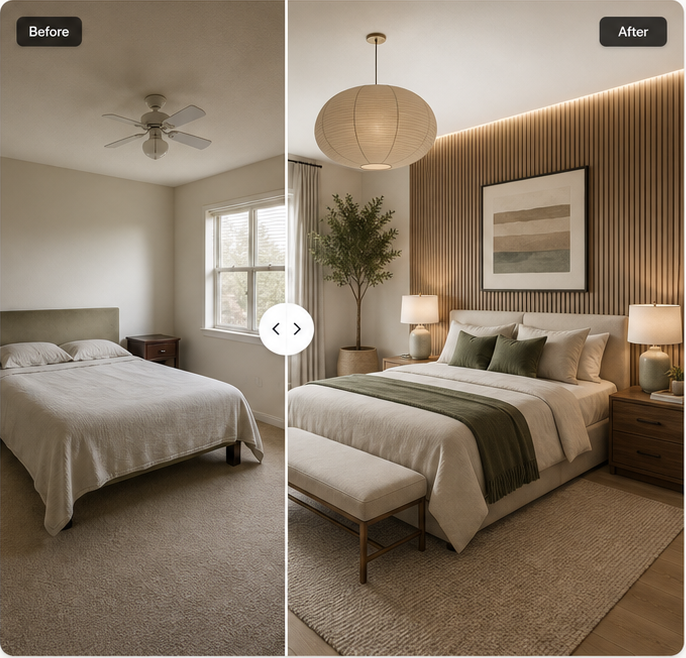
Modern warm wood
Upload one photo to our AI bedroom design generator, choose a style, and compare a realistic makeover with the room you have now.
Create 2 free 2K images per day. Sign in to unlock 3 free 2K images per day.
Mock preview only. Real private storage and deletion are backend launch items.
These are preferences, not guarantees.
Create 2 free 2K images per day. Sign in to unlock 3 per day.
Upload a valid bedroom photo to generate.
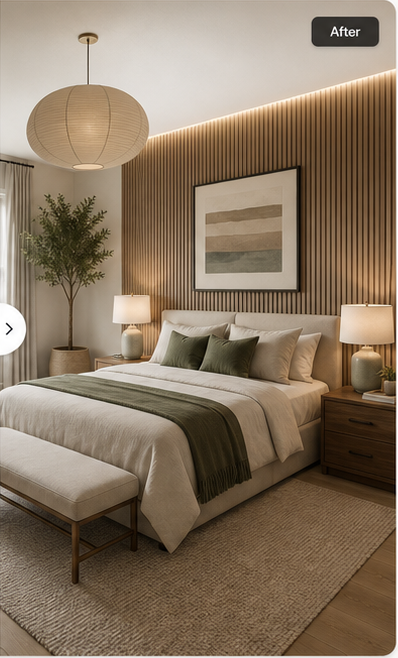
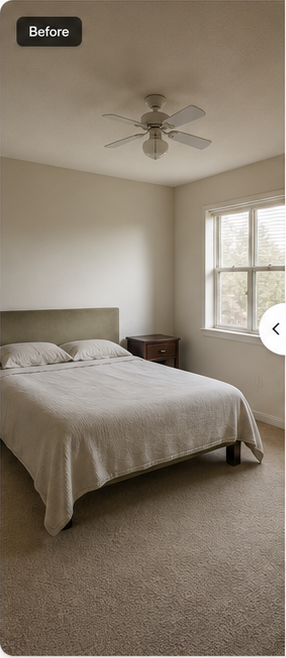
Upload your bedroom, guide the redesign, compare the result, and download the direction you love.
Start with a well-lit photo of your current space.
Choose a style, mood, colors, materials, and must-haves.
Review the original and AI concept side by side.
Save the high-resolution concept or refine your prompt.
Compare Modern, Japandi, Scandinavian, Cozy, Luxury, and Minimalist bedroom directions.
An AI bedroom design generator is most useful when it works from a photo of your real room. The image provides the current walls, windows, doors, flooring, bed position, and camera angle. Your prompt adds the new direction: a calmer palette, different furniture, layered lighting, more storage, or a complete change of style. This combination gives you something more specific than a generic inspiration board.
Bedroom Design is focused on one room type. That makes the studio simpler and the questions more relevant. Upload a bedroom photo, describe the result you want, choose a style, and mark the parts that should remain recognizable. The output is a visual concept, so use it to compare ideas rather than as a measured plan.
A before-and-after view makes an AI makeover easier to evaluate. Start with fixed architecture. Check whether the window, door, ceiling line, flooring direction, and main bed position still make sense. Then look at the changes in material, color, lighting, and decoration. A beautiful result is not useful if it quietly removes access to a closet or changes the room proportions.
The comparison slider lets you separate ideas that transfer well from details that need revision. You may like the warm wood wall and softer bedding while rejecting the generated nightstands. Keep the prompt focused on the useful parts, correct one major issue, and generate another direction.
See more bedroom design examplesKeeping the viewpoint stable is what makes a redesign feel connected to the original. The model should use the visible wall relationships and circulation around the bed as a guide. If the result rotates the room or invents a second window, reject it and make the constraint explicit.
These features are expensive or impossible to move in many homes. The preserve switches tell the generator that they matter. They remain preferences rather than guarantees, so compare every opening and floor edge before treating the result as practical.
A renter-friendly prompt should favor textiles, freestanding furniture, lighting, art, and removable treatments. Say which permanent surfaces cannot change. Avoid accepting an image that depends on new built-in joinery when the actual brief is paint-free and reversible.
If a bed frame, wardrobe, or desk must stay, name it in the prompt and describe its color or material. The clearer the reference, the easier it is to tell whether the concept respects the room you own instead of replacing everything.
You can enter the bedroom design workflow from several search intents, but they all point to the same studio. The pages below explain the current product limits without hiding the difference between the working interface and backend items that are still being completed.
Take the photo in daylight or with even room lighting. Stand far enough back to show the bed and surrounding architecture. Avoid people, close foreground objects, heavy filters, and screenshots. The studio accepts JPG, PNG, and WebP files up to 15 MB and recommends at least 768 pixels on the shortest edge.
Name the style, key materials, palette, and lighting. “Warm Japandi bedroom with natural oak, cream linen, and soft indirect light” gives the generator clearer choices than “make my bedroom nicer.” Add what must stay before listing decorative wishes.
Check fixed features first. Once the room still reads correctly, review the headboard, bedding, storage, lamps, and art. This order prevents a polished image from distracting you from a layout that could not exist.
If the first concept is too dark, correct the daylight and wall color rather than rewriting the entire brief. Controlled revisions make it easier to learn which prompt change improved the result.
The tool is intended for homeowners, renters, first-time renovators, interior design clients, property marketers, and anyone trying to communicate a bedroom direction without building a 3D model. It can help a couple compare preferences, give a designer a clearer visual brief, or show whether a dark palette suits a small room. It is also useful when you have saved many reference images but cannot picture them in your own space.
It is not a replacement for measurements, technical drawings, product specifications, or professional advice. AI images can invent furniture dimensions, lighting sources, structure, and materials. Verify anything that affects cost, safety, access, or construction. Use the concept to decide what to investigate next.
Product truth
Your photo will be sent to the image provider once real generation is enabled. Until private storage, retention, and delete jobs are implemented, this prototype labels generated output as example concept work. AI concepts are a starting point, not a construction plan.
Create your designStart free, then choose the credit balance that fits the way you design.
2 free 2K images per day
Create or sign in to a free account to unlock 1 extra image, for 3 images per day total.
50 credits · one-time purchase
Up to 50 2K images or 25 4K images. Credits are valid for 12 months.
200 monthly credits
Up to 200 2K images or 100 4K images. Unused monthly credits do not roll over.
Checkout is coming soon. Selecting a plan preserves your intent through sign-in, but no payment is simulated in this prototype.
Failed, blocked, or timed-out generations return the reserved credit when the backend ledger is implemented.
Commercial-use terms need owner approval before launch and will be finalized in the Terms route.
An AI bedroom design generator turns a photo of an existing bedroom into a visual redesign concept. You provide the room photo and design direction; the tool uses those inputs to produce a new look while trying to keep the camera angle and fixed architecture recognizable.
The tool reads the visible room structure, your selected style, and the details in your prompt. It then creates a new concept for furniture, color, lighting, materials, and decoration. Clear photos and specific instructions usually make the comparison easier to judge.
The planned free allowance is two 2K concepts per day, with one additional daily concept for a confirmed account. See the free AI bedroom design page for the current limits and the distinction between free 2K previews and paid 4K credits.
Yes. The interface is browser based, so you can open the online AI bedroom design generator on a laptop, tablet, or phone without installing desktop software.
The product is designed to let visitors start with the anonymous daily allowance before creating an account. Account-free use, retention, and deletion rules will be published on the no-login bedroom design page as the production image backend is completed.
The preserve controls tell the model which parts matter, including layout, windows, doors, and flooring. They are preferences rather than guarantees, so compare the output with the original photo and reject any concept that changes fixed architecture in an impractical way.
No. Treat the result as visual inspiration. Confirm dimensions, structural conditions, electrical work, product availability, and local building requirements with qualified people before purchasing furniture or starting construction.
Start from one photo and create a direction made for your space.
Start your redesign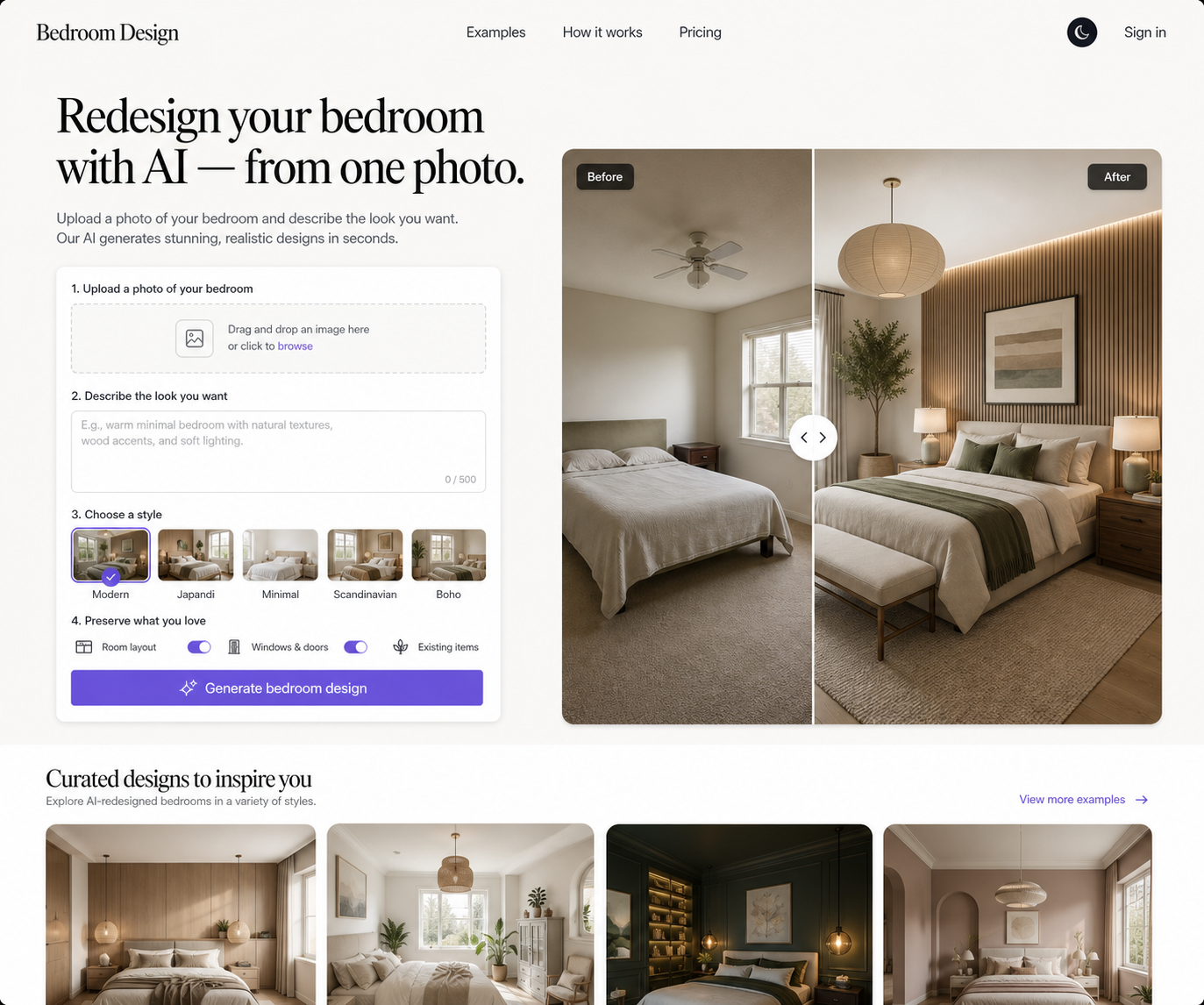
Prototype privacy note: real retention, deletion, and provider-transfer disclosures are backend launch items.